Regions and locations
Vipilink has gateway locations on six continents. When you build a network, you choose the regions it runs in and add gateways there. Each gateway has its own dedicated static public IP address.
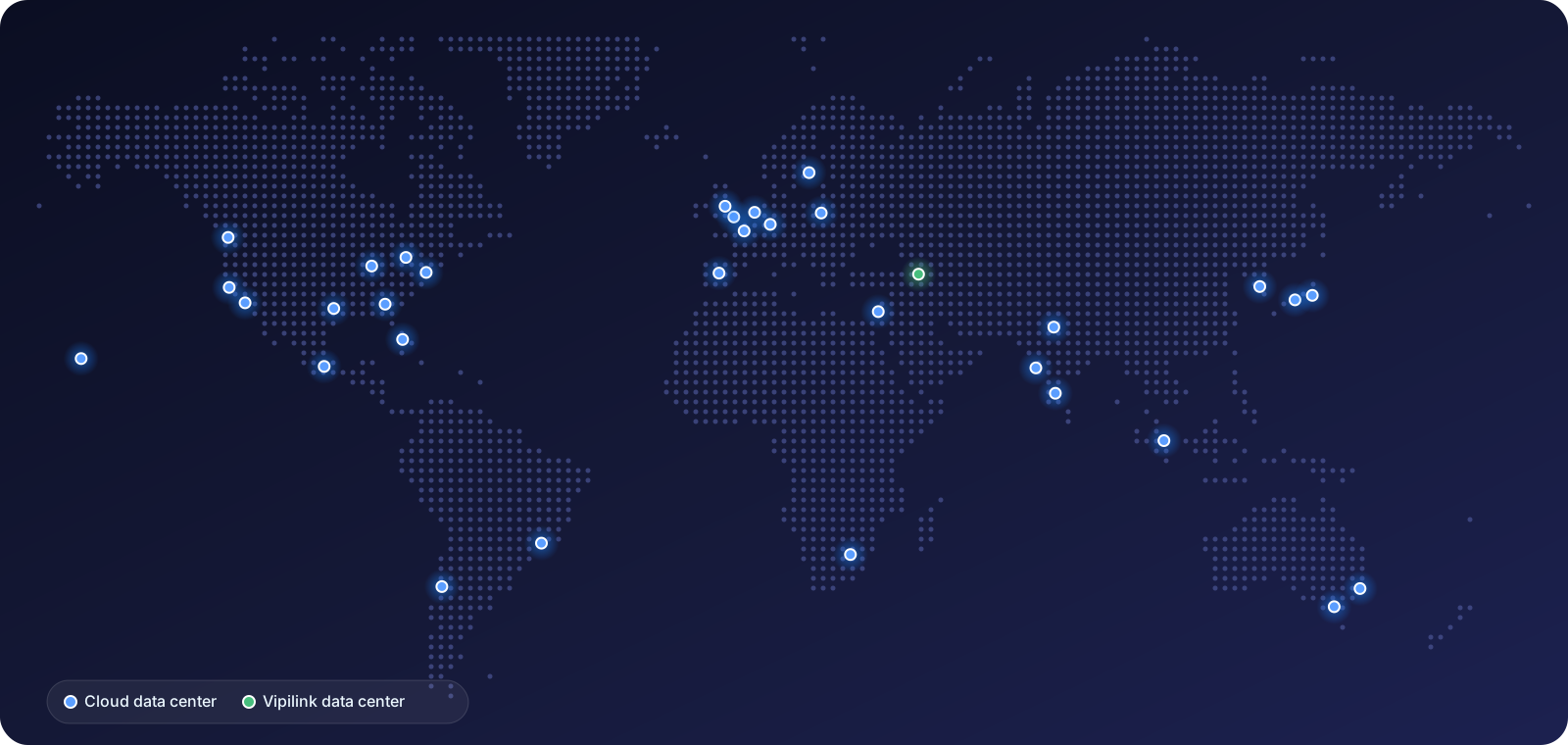
How regions work
- Pick regions close to your people and resources. When a user connects, the Vipilink agent picks the closest gateway in the network on its own, so users don't choose a region.
- Add more as you grow. Open your network, then use Add Regions in the network menu, or Add Gateways in a region's menu. See Networks.
- Static IP for every gateway. With full tunnel, users' internet traffic leaves through the gateway's public IP. You can allow that IP in the SaaS apps and firewalls you protect.
- Where gateways run. Yerevan runs in Vipilink's own data center. All other locations run in data centers of trusted cloud providers.
All locations
North America
 Atlanta United States
- Chicago United States
- Dallas United States
- Honolulu United States
- Los Angeles United States
- Miami United States
- New Jersey United States
- Seattle United States
- Silicon Valley United States
 Toronto Canada
 Mexico City Mexico
South America
 São Paulo Brazil
 Santiago Chile
Europe
 Amsterdam Netherlands
 Frankfurt Germany
 London United Kingdom
- Manchester United Kingdom
 Madrid Spain
 Paris France
 Stockholm Sweden
 Warsaw Poland
Asia
 Yerevan Armenia
 Tel Aviv Israel
 Bangalore India
- Delhi NCR India
- Mumbai India
 Singapore Singapore
 Seoul South Korea
 Osaka Japan
- Tokyo Japan
Africa
 Johannesburg South Africa
Oceania
 Melbourne Australia
- Sydney Australia